
DARBI App: Live Bus Tracking,
Hafilat Recharge & Parking Payments
DARBI (formerly called DARB) is Abu Dhabi’s official transport app, made by the Integrated Transport Centre. It handles your Hafilat card, parking payments, taxi booking, and live bus tracking, all in one place. Over 500,000 people have downloaded it on Android alone.
You can check your balance instantly; just open the app and tap "Hafilat Card," no login needed. Recharging takes one to two hours. Want to know exactly when your bus is coming? The app shows live minutes on a map, not a static schedule.
Need to pay for parking? Do it from your phone, and extend the time if you’re running late. Booking a taxi? You’ll see the fare before you confirm. And if your car breaks down, the app offers free roadside help 24/7 — it even pins your exact location for you.
Jump to What You Need — Click any button below.
Download & Get Started
- Download the app from your app store.
- Open it. You’ll see a map of Abu Dhabi.
- That’s it. You can start checking bus times right away.
To register (for recharge or parking):
Tap menu button
Tap the menu button (three horizontal lines usually at the top left or bottom of the screen).
Select Register
Select “Register” or “Sign Up” from the menu.
Enter details
Enter your mobile number (UAE number recommended) and your email address.
Create a password
Create a password, use at least 8 characters, mix of letters and numbers. Write it down somewhere safe.
Enter OTP
An OTP (One-Time Password) will be sent to your mobile number by SMS. Enter that code in the app when asked.
Account ready
Once verified, your account is ready. You can now save your Hafilat card, recharge, pay for parking, and book taxis.
Getting the app takes less than a minute. Here’s what you need to know before you download.
✅ What you can do without registering
- Check your Hafilat card balance
- View bus routes and stops
- See live bus arrival times
- Look at ferry schedules
- Check airport flight status
🔐 What needs registration
- Recharge your Hafilat card
- Pay for parking
- Book a taxi
- Report roadside issues
- Save favorite routes
What You Can Do with the DARBI App
Here’s a quick look at all the main features. Pick what you need.
| Feature | What It Does | Need Registration? |
|---|---|---|
| Check Balance | Enter your 16-digit card number. See balance in seconds. | No |
| Recharge Card | Add credit to your Hafilat card. AED 10 to AED 150. | Yes |
| Live Bus Tracking | See exactly when your bus arrives. Real-time map. | No |
| Plan a Trip | Enter start and end. Shows bus routes and numbers. | No |
| Find Nearby Stops | See all bus stops within walking distance. | No |
| Pay for Parking | Standard (AED 2/hr) or premium (AED 3/hr). | Yes |
| Extend Parking | Add more time without running back to the car. | Yes |
| Book a Taxi | Standard, family, or accessible. See fare before booking. | Yes |
| Roadside Help | Free 24/7. Pins your exact location. | Yes |
| Ferry Schedules | Check times for Dalma, Al Dhanna, and Saadiyat routes. | No |
| Airport Info | Search for flights and check parking rates. | No |
| Traffic Updates | See live congestion and roadwork. | No |
| Toll Gate Locations | View all DARB toll gates on the map. | No |
| Ticket Machine Finder | Find the nearest Hafilat vending machine. | No |
⭐ Most used features by DARBI users
- Check balance: Quick, no login needed.
- Live bus tracking: No more waiting and wondering.
- Parking payment: No coins, no rushing.
- Recharge card: Do it from home, not at the station.
Check Balance & Recharge: What You Need to Know
Two things you’ll do most often: the first is checking your Hafilat balance, that how much is left on your card, and the second is recharging. Here’s how the app handles both.
Open the Darb app
Tap “Hafilat Card”
Tap “Hafilat Card” on the home screen.
Enter 16-digit number
Enter your 16-digit card number.
Balance shows instantly
Your balance shows up instantly, in about 3 seconds.
See history
To see your last trips and recharges, tap “History.”
Wrong balance?
If the balance looks wrong, pull down to refresh or tap your card on any bus reader to sync.
- Tap “Top Up” in the app.
- Enter your 16-digit Hafilat card number.
- Pick an amount, between AED 10 and AED 150.
- Pay with your credit or debit card.
- Wait 1 to 2 hours for the balance to show up. Online recharges take time to sync with bus readers.
What the app won’t tell you (but we will)
- Online recharges take time because the system updates across hundreds of bus readers. That’s normal.
- Your card has a maximum balance of AED 150. The app won’t let you add more.
- If your card has expired, you can’t recharge it. You need a new card.

Real-Time Bus Tracking: Know Exactly When Your Bus Arrives
No more standing at a bus stop wondering, “Did I miss it?” The app shows you exactly where each bus is and how many minutes until it arrives. You can also check Hafilat bus timings and fares by walking through Hafilat bus timing page.
- Open the DARBI app; you’ll see a map of Abu Dhabi on your screen.
- Look at the map; bus stops appear as icons (small dots or symbols).
- Tap any bus stop you’re interested in.
- A list pops up showing every bus that serves that stop.
- Next to each bus number, you’ll see “Arrives in X minutes”; that’s how long until the next bus gets there.
- That’s it. Live times, not a printed schedule.
| On Screen | What It Means |
|---|---|
| “Arrives in 3 min.” | The bus will be there in about 3 minutes |
| “Due” | The bus is pulling up right now |
| “No real-time data.” | Bus tracking is down for that route. Use the printed schedule as backup. |
| No bus listed | No buses are coming to that stop in the next hour |
🔍 Find a bus route
- Tap the search bar.
- Type a bus number (for example, “A1,” “005,” “102,” or “E100”).
- The full route appears on the map.
- You see every stop, from start to finish.
- Tap any stop on that route to see arrival times.
🗺️ Plan a trip from A to B
- Tap “Journey Planning” or the route planner icon.
- Enter where you are now.
- Enter where you want to go.
- The app shows bus numbers, where to transfer, and total travel time.
🏙️ Real-world example
You’re at Marina Mall. You want to go to the Sheikh Zayed Grand Mosque.
Open app → Tap journey planner → Enter “Marina Mall” to “Grand Mosque.”
The app shows: Take Bus 24. Arrives in 7 minutes. Get off at the Grand Mosque stop. Total trip: 22 minutes.
⚠️ What the app can’t do
- Tell you about traffic delays that just happened (live tracking helps, but accidents can change things fast).
- Work without internet (you need a signal for live updates).
Pro tips from regular users
- Check the app before you leave home. Don’t wait until you’re at the stop.
- During peak hours (7-9 AM, 5-7 PM), buses come every 10-15 minutes. You rarely wait long.
- Off-peak? Every 20-30 minutes. Check the app so you’re not standing there for half an hour.
- Save your most-used stops as favorites. One tap to see arrival times.
Mawaqif Parking Payment: Pay from Your Phone, No Coins Needed
Running late? No change in your pocket? The app lets you pay for parking and extend it without running back to the meter.
🅿️ Parking rates
| Parking Type | Rate | Maximum |
|---|---|---|
| Standard parking | AED 2 per hour | AED 15 per day (24 hours) |
| Premium parking (blue bays) | AED 3 per hour | 4 hours maximum |
Free parking: Sundays and public holidays. No payment needed.
📋 What happens if you forget to pay?
| Scenario | Result |
|---|---|
| You parked in a paid zone and didn’t pay | Fine of AED 120 to AED 200 |
| You paid, but the session expired | Fine starts from the minute your session ends |
| Sunday or a public holiday | No fine. Parking is free. |
💳 How to pay for parking
- Open the DARBI app.
- Tap "Parking" or "Mawaqif."
- Select your vehicle, add it once, the app remembers it for next time.
- Choose parking type: standard (AED 2/hour) or premium (AED 3/hour).
- Select how many hours you need.
- Confirm payment.
Money comes from your saved card. No SMS. No coins. No ticket to display on your dashboard.
⏱️ How to extend parking
- Open the DARBI app.
- Tap "Parking" → "My Sessions."
- Find your active parking session.
- Tap "Extend."
- Add more hours.
- Confirm.
You can extend from anywhere. Your seat, a restaurant, a meeting. No need to run back to the car.
Pro tips
- Turn on notifications. The app reminds you 10 minutes before your parking expires.
- Add your vehicle once. The app saves it. No need to type the plate number every time.
- If the app isn’t working, you can still pay by SMS. Text your plate number to 3009. (Standard SMS rates apply.)
- Need help with parking fines? Contact ITC at 800850 or visit a customer happiness center.

Taxi Booking: See the Fare Before You Book
No surprises. No waiting on the street, hoping a taxi passes by. The app shows you the price before you confirm.
🚕 How to book a taxi
- Open the DARBI app.
- Tap “Taxi” or “TransAD.”
- Confirm your pickup location – the app uses your GPS.
- Choose taxi type: standard, family, or accessible.
- See the estimated fare before you confirm.
- Tap “Confirm.”
- Track your taxi on the map until it arrives.
🚗 Taxi types
| Type | Best For | Seats |
|---|---|---|
| Standard | 1-4 passengers, regular trip | 4 |
| Family | Extra luggage, more space | 6-7 |
| Accessible | Wheelchair users | 4 + wheelchair space |
💰 Estimated fares (Abu Dhabi city)
| Trip | Approximate Fare |
|---|---|
| Airport to city center | AED 30 – AED 40 |
| Marina Mall to Grand Mosque | AED 15 – AED 20 |
| Downtown to Yas Island | AED 35 – AED 50 |
| Abu Dhabi to Al Ain | AED 150 – AED 180 |
| Short trip (3-5 km) | AED 8 – AED 12 |
Fares depend on traffic and time of day. The app shows the exact estimate before you book.
🚌 Cheaper alternative
| Route | Bus Fare | Taxi Fare | Savings |
|---|---|---|---|
| Airport to city | AED 4 (A1 bus) | AED 30-40 | AED 26-36 |
| Abu Dhabi to Al Ain | AED 25 (bus X90) | AED 150-180 | AED 125-155 |
| Abu Dhabi to Dubai | AED 25 (bus E100) | AED 250-300 | AED 225-275 |
If you’re not in a hurry, the bus saves you a lot of money.
📱 What the app shows you before you book
- Estimated fare (within AED 2-3 accuracy)
- How far away is the nearest taxi (in minutes)
- Driver name and license plate after confirmation
- Live location of your taxi on the map
Pro tips
- Book 10-15 minutes before you actually need to leave. Taxis sometimes take 5-10 minutes to arrive.
- During peak hours (7-9 AM, 5-7 PM), wait times are longer. Book earlier.
- Family taxis cost the same as standard. Same rates. Just bigger cars.
- If no taxis are available, the app tells you. Try again in 5 minutes.
🚕 What if the taxi doesn’t show?
Call TransAD customer service at 600 535 353. Have your booking reference ready (app shows it after booking).Road Service Patrol: Free 24/7 Roadside Assistance
Breakdown? Flat tire? Out of fuel? The app gets you help for free. No membership. No hidden fees. Just open the app and tap.
📞 How to request help
- Open the DARBI app.
- Tap the ‘+’ button on the main screen.
- Select "RSP" (Road Service Patrol).
- Fill out the form and tell them what’s wrong, your car type, and color.
- Tap "Pin My Location"; the app shares your exact GPS coordinates.
- Call 800850 from the app; it’s one-tap dialing.
That’s it. A patrol vehicle comes to you. Free of charge. Available on all main roads in the Abu Dhabi emirate.
⏱️ What happens after you call
| Time | What Happens |
|---|---|
| Within 5 minutes | The dispatcher confirms your location and issue |
| 15-30 minutes | The patrol vehicle arrives |
| 15-45 minutes | They fix the problem or tow you to the nearest garage |
Wait times depend on your location and traffic.
✅ What RSP covers
| Situation | Covered? |
|---|---|
| Flat tire | Yes |
| Out of fuel | Yes |
| Engine breakdown | Yes |
| Battery dead | Yes |
| Overheating | Yes |
| Accident (non-injury) | Yes |
| Locked keys in car | Yes |
| Major accident with injuries | No (call 999) |
📋 What you need to have ready
- Your exact location (app pins it for you, no need to explain)
- Car plate number
- Car color and model
- Brief description of the problem (example: "Flat tire on passenger front")
❌ What RSP does NOT cover
- Towing to a garage outside Abu Dhabi
- Replacing parts (they fix enough to get you moving, then you visit a garage)
- Accidents involving injuries (call 999 first)
💡 Pro tips:
- Save 800850 in your phone contacts now. Don’t wait until you’re stuck on the road.
- The app works even with a weak signal. Location pinning uses GPS, not mobile data.
- If you’re on a highway, stay inside the car with your seatbelt on. Wait for the patrol to arrive.
- RSP covers the Abu Dhabi emirate only. Not Dubai, Sharjah, or other emirates.
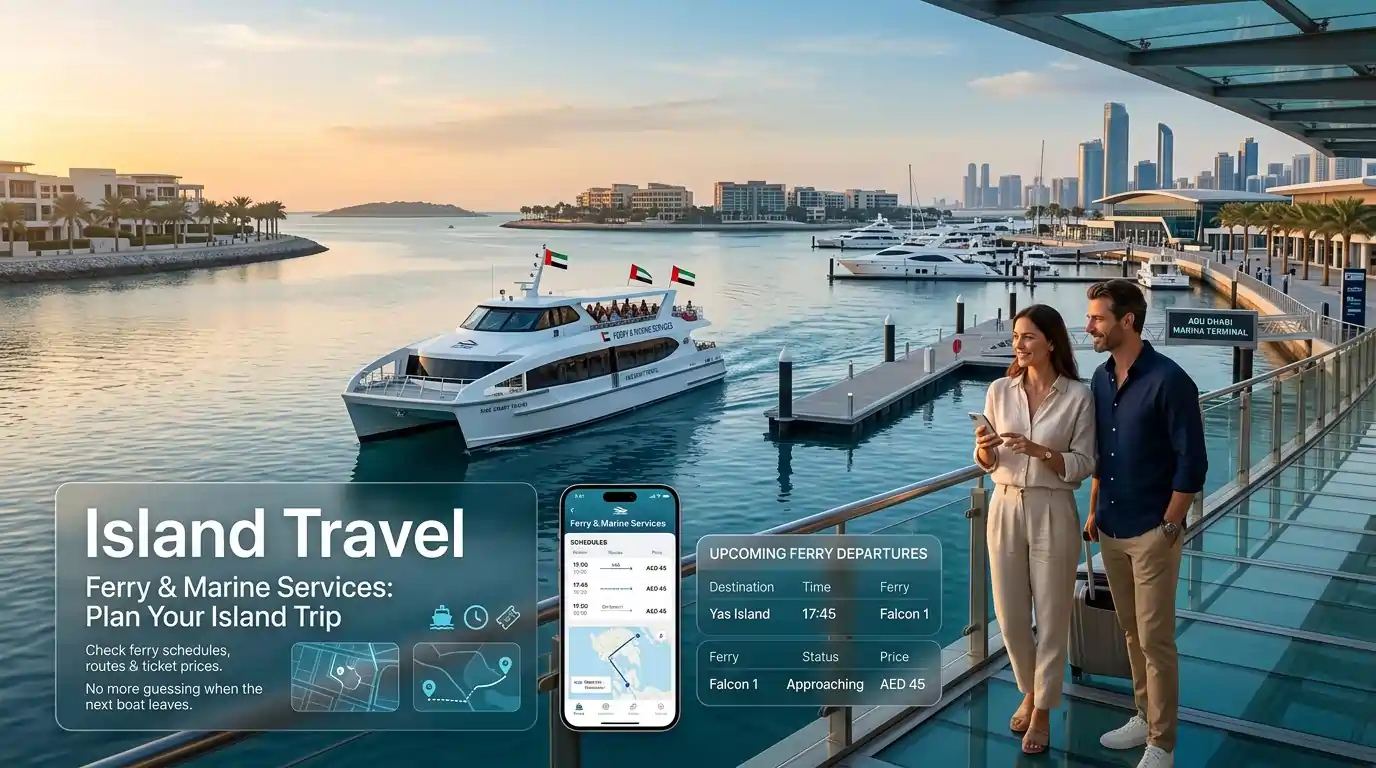
Ferry & Marine Services: Plan Your Island Trip
Need to get to an island? The app shows you ferry schedules, routes, and ticket prices. No more guessing when the next boat leaves.
⛴️ How to check ferry schedules
- Open the DARBI app.
- Tap “Ferry” or “Marine Services” from the menu.
- Select your route, Dalma to Al Dhanna or Saadiyat to Al Aliah.
- View all departure times for today.
- Tap any departure to see ticket prices.
🗺️ Ferry routes covered
| Route | Travel Time | Trips Per Day |
|---|---|---|
| Dalma Island ↔ Al Dhanna | 2 hours | 4 times daily |
| Saadiyat Island ↔ Al Aliah | Varies | Check the app. |
📋 What the app shows you
| Information | Where to Find |
|---|---|
| Departure times | Ferry schedule section |
| Arrival times | Same section |
| Ticket prices | Per passenger category (adult, child, senior) |
| Route map | Shows departure and arrival points |
🎫 Ticket prices (estimate)
| Passenger Type | Dalma to Al Dhanna | Saadiyat to Al Aliah |
|---|---|---|
| Adult | AED 15 – 20 | AED 5 – 10 |
| Child (under 10) | AED 5 – 10 | AED 2 – 5 |
| Senior citizen | Free (with Hafilat senior card) | Free |
| People of determination | Free (with POD card) | Free |
Exact prices vary. Check the app for current rates.
Pro tips
- Ferries can sell out on weekends and holidays. Book early or arrive at least 30 minutes before departure.
- Dalma Island is remote. No shops or restaurants near the dock. Bring water and snacks.
- The A1 bus to the airport connects to some ferry routes. Plan your connections.
- Ferry schedules change during Ramadan and public holidays. Check the app before you go.
⚠️ What the app can’t do
- Book ferry tickets (you buy them at the dock)
- Show live ferry location (only schedules and times)
Airport Information: Flights, Parking & Bus from Zayed International Airport
Traveling through Zayed International Airport (formerly Abu Dhabi International Airport)? The app gives you flight status, parking rates, and bus info in one place.
✈️ How to check flight status
- Open the DARBI app.
- Tap “Airport” or “Zayed International Airport.”
- Enter the flight number (for example, EY205).
- See departure or arrival times.
- Check if it’s on time, delayed, or already landed.
No need to go to the airport website. All in the app.
📋 What the app shows you
| Information | Where to Find |
|---|---|
| Flight departure times | Airport section → Search flight number |
| Flight arrival times | Same section |
| Flight delays or cancellations | Live updates from the airport |
| Parking rates | Airport parking section |
| A1 bus schedule | Bus services section |
🅿️ Airport parking rates (estimate)
| Parking Type | Hourly Rate | Daily Rate |
|---|---|---|
| Short-term (Terminals 1 & 3) | AED 5 per hour | AED 50 |
| Long-term (Car Park A, B, C) | AED 3 per hour | AED 30 |
| Premium (closest to terminal) | AED 8 per hour | AED 80 |
Rates change. Check the app for current prices.
🚌 A1 bus from the airport to the city
| Detail | Information |
|---|---|
| Bus number | A1 |
| Operating hours | 24/7, every day of the year |
| Fare | AED 4 (using Hafilat card) |
| Travel time | 45 to 60 minutes |
| Number of stops | 31 stops |
| Key stops | Yas Island, Mushrif Mall, Abu Dhabi Bus Station |
📱 How to get from the airport to the city using the app
| Step | What to Do |
|---|---|
| 1 | Open the DARBI app |
| 2 | Tap “Bus Services” |
| 3 | Search “A1” |
| 4 | See the live arrival time at your terminal |
| 5 | Walk to the bus stop outside arrivals |
| 6 | Tap your Hafilat card when boarding |
Pro tips
- Check flight status before leaving for the airport. Delays happen.
- Parking fills up during holidays (Eid, National Day, Christmas). Arrive early or book ahead.
- The A1 bus has luggage space. No extra charge for bags.
- If you land after midnight, the A1 still runs. 24/7 service.
⚠️ What the app can’t do
- Book flights
- Reserve parking spots
- Order food at the airport
Live Traffic & Toll Gates: Avoid Jams Before You Drive
Before you get in the car, check the app. See where traffic is backed up, where accidents have happened, and where road work is slowing everyone down.
🗺️ How to check traffic before driving
- Open the DARBI app.
- Look at the map; roads are color-coded.
- Green means smooth. Yellow means slowing down. Red means jammed.
- Tap any incident icon to see details.
- Plan a different route if needed.
📡 What the app shows you
| Traffic Info | What You See |
|---|---|
| Live traffic flow | Green (smooth), yellow (slow), red (jammed) |
| Accidents | Location and how many lanes affected |
| Road works | Where construction is happening |
| Congestion alerts | Notifications about major delays |
| Toll gate locations | All 4 DARB toll gates on the map |
🚧 DARB toll gates in Abu Dhabi
| Toll Gate | Location |
|---|---|
| Sheikh Zayed Bridge | Connects Abu Dhabi island to mainland (near Sheikh Zayed Grand Mosque) |
| Mussafah Bridge | Industrial area access |
| Sheikh Khalifa bin Zayed Bridge | Northern crossing to Reem Island |
| Al Maqtaa Bridge | Southern crossing near Al Maqtaa area |
⏰ Toll operating hours & charges
| Day | Toll Hours |
|---|---|
| Monday to Saturday | 7:00 AM – 9:00 AM AND 3:00 PM – 7:00 PM |
| Sunday | No tolls. Free crossing all day. |
| Public holidays | No tolls. Free crossing all day. |
| Time | Charge |
|---|---|
| Peak hours (7-9 AM, 3-7 PM) | AED 4 per crossing |
| Off-peak hours | AED 2 per crossing |
| Sunday and public holidays | Free |
⚠️ Important note about tolls
The DARBI app shows you toll gate locations. But you cannot register your vehicle or pay tolls through this app. For toll registration, you need the separate DARB Toll app or visit the DARB website.Pro tips
- Check traffic before every trip longer than 15 minutes. A 5-minute check can save you 30 minutes in traffic.
- Peak hours (7-9 AM and 3-7 PM) are the worst. If you can drive outside these times, do it.
- Friday mornings are usually light traffic. Good for airport runs or long drives.
- The app sends push notifications for major incidents. Turn them on.
⚠️ What the app can’t do
- Pay your tolls (use the separate DARB Toll app for that)
- Register your vehicle for tolls
- Show traffic cameras (only maps and alerts)
Registration Process: What You Need and Why
You can use many features without registering: check balance, view bus times, see ferry schedules, and check flights. But for recharging, parking payments, and taxi booking, you need an account.
📋 What you need before starting
- Mobile number (UAE)
- Email address
- Hafilat card number (if you want to recharge)
- Credit or debit card (for payments)
📝 Registration steps
| Step | What to Do |
|---|---|
| 1 | Open the DARBI app |
| 2 | Tap the menu icon (three lines) |
| 3 | Select "Register" or "Sign Up" |
| 4 | Enter your mobile number |
| 5 | Enter your email address |
| 6 | Create a password (at least 8 characters) |
| 7 | An OTP code is sent to your phone by SMS |
| 8 | Enter the OTP in the app |
| 9 | Your account is ready |
Takes about 2 minutes.
After registration, you can:
- Save your Hafilat card number (no need to type it every time)
- Recharge your card
- Pay for parking
- Book taxis
- Save favorite bus stops and routes
- View your transaction history
🔑 What if you forget your password?
| Step | What to Do |
|---|---|
| 1 | On the login screen, tap "Forgot Password." |
| 2 | Enter your mobile number or email |
| 3 | An OTP is sent to your phone |
| 4 | Enter the OTP |
| 5 | Create a new password |
Takes about 1 minute.
🔒 Is my data safe? The app is developed by Abu Dhabi’s Integrated Transport Centre, a government entity. Your mobile number, email, and payment details are encrypted.
Pro tips
- Use a password you can remember. You’ll log in often.
- Save your Hafilat card number in the app after registering. One-time setup, then recharging takes 10 seconds.
- If you change your mobile number, update it in the app settings. Otherwise, OTPs won’t reach you.
What Works Without Internet? (And What Doesn’t)
The app needs internet for live updates. But some things still work when you’re offline.
✅ Works without internet (offline)
| Feature | What You Can Do |
|---|---|
| View saved bus routes | Routes you looked at before losing signal stay on your phone |
| See the last checked balance | The app caches your last balance check |
| Look at ferry schedules | If you loaded them earlier, they’re still there |
| Check flight times | Cached from your last search |
❌ Does NOT work without the internet
| Feature | Why |
|---|---|
| Live bus tracking | Needs live data from the network |
| "Arrives in X minutes" | Real-time updates require the internet |
| Recharge card | Payment processing needs a connection |
| Pay for parking | Same reason |
| Book a taxi | Needs to connect to TransAD servers |
| Request roadside help | Needs to send your location |
| Search for new routes | App can’t fetch new data |
| Check balance (first time) | Needs to query the server |
📋 How to prepare for offline use
| Step | What to Do |
|---|---|
| 1 | Before you lose signal, look up your bus route |
| 2 | Let the map load fully |
| 3 | Check your balance while you have internet |
| 4 | Take a screenshot of the schedule (just in case) |
The app saves your recent searches. If you looked up Bus 24 yesterday, it’s still there today, even without a signal.
🌵 Real-world example
You’re on the A1 bus heading to Al Ain. Signal drops in the desert.
- You can still see the route map (cached)
- You can see your balance (cached from last check)
- You cannot see live arrival times for the next stop
- You cannot recharge your card
Solution: Check everything before you leave the city.
💡 Pro tips
- Download or screenshot important routes before traveling to remote areas (Al Dhafra, Liwa, Ruwais)
- Check your balance at home, not at the bus stop
- Recharge before you leave, not when you’re already out
Common Problems & Fixes — What to Do When Something Goes Wrong
The app works most of the time. But when it doesn’t, here’s what to check.
| Why It Happens | Fix |
|---|---|
| Online recharges take 1-2 hours to sync | Wait 2 hours. Then tap your card on any bus reader. Balance updates instantly. |
| You entered wrong card number | Check the 16-digit number. One wrong digit and it goes to a different card. |
| Payment failed | Check your bank app. If money was taken but the balance was not added, call 800850. |
Still not showing after 2 hours? Call 800850. Have your transaction receipt ready.
| Why It Happens | Fix |
|---|---|
| Weak internet connection | Switch from Wi-Fi to mobile data or vice versa |
| The app needs an update. | Check app store for updates |
| Too many apps open | Close other apps. Restart DARBI. |
| Server busy | Try again in 10 minutes |
If it keeps crashing: Use the website (darbi.itc.gov.ae) to recharge instead.
| Why It Happens | Fix |
|---|---|
| No internet | Check if other apps work. Toggle Wi-Fi/mobile data. |
| GPS not enabled | Go to phone settings → Location → Allow DARBI |
| App cache full | Settings → Apps → DARBI → Clear cache |
| Server down | Wait 10-15 minutes. Try again. |
| Why It Happens | Fix |
|---|---|
| App data not synced | Pull down on the screen to refresh. Or close and reopen the app. |
| Card not tapped out properly | The system may have charged the maximum fare. Tap your card on a bus reader to see your true balance. |
| Recent recharge not reflected | Online recharges take 1-2 hours. Be patient. |
| Why It Happens | Fix |
|---|---|
| Traffic delay | Live updates adjust in real time. Refresh the screen. |
| Bus detour due to road work | App may not know about temporary detours. Check ITC website for alerts. |
| GPS signal lost | Bus tracker shows last known position. Refresh in 2-3 minutes. |
Pro tip: Cross-check with Google Maps. Both pull from similar data. If both say the same, it’s accurate.
| Why It Happens | Fix |
|---|---|
| Forgot password | Tap "Forgot Password." OTP sent to your phone. |
| Account not registered | You need to register first. Balance check doesn’t need login, but parking and recharge do. |
| Wrong mobile number | Did you register with a different number? Try that one. |
| OTP not arriving | Check signal. Wait 1 minute. Request again. |
| Why It Happens | Fix |
|---|---|
| Card expired | Update your payment method in app settings |
| Insufficient balance | Check your bank account |
| Parking session already active | You can’t pay twice for the same spot |
| App error | Pay by SMS instead: Text your plate number to 3009 |
| Why It Happens | Fix |
|---|---|
| Peak usage time (7-9 AM, 5-7 PM) | Servers are busy. Wait a minute. |
| Old app version | Check for updates |
| Phone storage full | Free up space. Clear app cache. |
| Weak signal | Move to where the signal is stronger |
Still having problems? Call 800850 (24/7) | Visit any Customer Happiness Centre at major bus stations | Use the "Geofeedback" feature in the app to report issues
Tips from Regular Users: What Works Best
After using the app for months, here’s what regular riders wish they knew from day one.
Check balance without logging in
Open app → Tap "Hafilat Card" → Enter 16-digit number. Balance shows in 3 seconds. No account needed. No password. Just the card number.
Save your card number in the app
Register once. Add your Hafilat card number to your profile. After that, checking the balance takes one tap. No typing every time.
Recharge at home, not at the bus stop
Online recharges take 1-2 hours. Do it the night before. If you forget and need credit now, use a ticket vending machine instead. Instant.
Tap your card on a bus reader to speed up recharge
Recharged online but the balance is not showing? Tap your card on any bus reader or ticket machine. It forces an instant sync. Balance updates right away.
Save your frequent stops as favorites
Found a bus stop you use every day? Tap the star icon. It saves to your favorites. Next time, one tap to see arrival times. No searching.
Turn on notifications
The app can remind you when:
- Your parking is about to expire
- Your bus is arriving soon
- There’s a traffic delay on your route
Download routes before traveling to remote areas
Going to Al Dhafra, Liwa, or Ruwais? The signal can be weak. Load your bus route while you have internet. The map stays on your phone even without a signal.
Use the app to find Hafilat vending machines
Need to buy a card or recharge instantly? Tap the ‘+’ button → "Ticket Machines." The map shows every vending machine near you.
Cross-check with Google Maps for complex trips
DARBI is great for bus times. Google Maps is better for walking directions to the stop. Use both. DARBI for live arrivals. Google for the walk.
Keep your card number somewhere safe
Write down your 16-digit Hafilat card number. Keep it in your phone notes or a safe place. If you lose the card, you need the number to check your balance or report it lost.
Parking is free on Sundays
No need to pay. No fine. Sundays and public holidays only. Double-check holiday dates on the ITC website.
Book taxis 10-15 minutes early
Taxis don’t arrive instantly. During peak hours (7-9 AM, 5-7 PM), wait times can be 15-20 minutes. Book before you’re ready to leave.
Use the app before calling customer service
Check your balance, recharge status, and bus times in the app first. 90% of questions are answered there. Saves you a phone call.
Update the app regularly
Old versions crash more often. Turn on auto-update in your app store. New features come every few months.
Save 800850 in your phone contacts
Roadside help number. Parking issues. Recharge problems. One number for everything ITC-related. Save it now.
Frequently Asked Questions
How do I download the Hafilat balance check number app?
Search "Darbi" on Google Play (Android), App Store (iPhone), or AppGallery (Huawei). Free. About 80MB.
Can I check my balance without logging in?
Yes. Open app → Tap "Hafilat Card" → Enter your 16-digit card number. Balance shows in 3 seconds. No account needed.
How do I recharge my card through the app?
Tap "Top Up" → Enter card number → Pick amount (AED 10 to AED 150) → Pay with credit/debit card. Balance shows in 1-2 hours.
Why is my recharge not showing after 2 hours?
Tap your card on any bus reader or ticket machine. That forces an instant sync. Still not there? Call 800850.
Does the app work without internet?
Partially. Saved routes and cached balance work offline. Live tracking, recharge, and parking need internet.
How do I pay for parking using the app?
Tap "Parking" → Select your vehicle → Choose standard (AED 2/hr) or premium (AED 3/hr) → Pick hours → Confirm payment.
Can I extend parking from the app?
Yes. Tap "Parking" → "My Sessions" → Select active session → Tap "Extend" → Add more hours. No need to go back to the car.
How do I book a taxi?
Tap "Taxi" → Confirm pickup location → Choose taxi type (standard, family, accessible) → See estimated fare → Confirm. Track your taxi on the map.
How much is a taxi from the airport to the city?
About AED 30-40 for a standard taxi. The A1 bus is AED 4 if you want it cheaper.
Is roadside assistance really free?
Yes. 24/7. Flat tire, out of fuel, breakdown, dead battery. Open app → Tap ‘+’ → Select "RSP" → Pin location → Call 800850.
What ferry routes are in the app?
Dalma Island to Al Dhanna (2 hours, 4 times daily) and Saadiyat Island to Al Aliah. Check app for schedules and prices.
Can I see flight status in the app?
Yes. Tap "Airport" → Enter flight number. See departure/arrival times and delays.
What are DARB toll hours?
Monday to Saturday: 7-9 AM and 3-7 PM. Sunday and public holidays: free. AED 4 during peak, AED 2 off-peak.
Does the app pay my tolls?
No. DARBI only shows toll gate locations. For toll registration and payment, use the separate DARB Toll app.
Why is my bus arrival time wrong?
Live updates depend on traffic and GPS. Refresh the screen. If still wrong, check Google Maps for comparison.
The app is crashing. What do I do?
Close and reopen. Check for updates. Clear cache (Settings → Apps → DARBI → Clear cache). Still crashing? Reinstall.
How do I contact customer support?
Call 800850 (24/7). Or visit any customer happiness center at major bus stations.
Is the app available in Arabic?
Yes. English and Arabic. Change language in app settings.
Do I need to register to use the app?
No. Balance check, bus tracking, ferry schedules, and flight info work without registration. Recharge, parking, and taxi booking need registration.
How do I register?
Tap menu → "Register" → Enter mobile number and email → Create password → Enter OTP sent to your phone. Takes 2 minutes.
Conclusion
- The DARBI app puts your Hafilat card in your pocket. Check your balance in seconds. Recharge without visiting a machine. See exactly when your bus arrives. Pay for parking without coins. Book a taxi with the fare upfront. Get free roadside help if your car breaks down.
- In Abu Dhabi, Al Ain, Al Dhafra, and across the UAE, the app works wherever Hafilat buses run. Over 100 routes, 24/7 airport service, and live tracking for every bus.
- The Hafilat bus card balance check online app does one thing well: It saves you time. No more standing at a bus stop wondering. No more rushing back to the parking meter. No more guessing if your recharge went through.
Download it. Try it. Keep your card topped up.

Complete guide to the DARBI app — Abu Dhabi’s official transport app for bus tracking, parking, taxis, and more.
© 2025 Hafilat Balance Check Guide. All rights reserved.